How do I create my booking calendar for the web?

It doesn't matter if you're an enthusiastic new instructor building a community or an established yoga studio. Either way, you need to be visible online. And get discovered by new inquisitive practitioners.
That means showing up on Facebook and Instagram with your class schedule -- ideally with quick booking and payment options built in.
By creating an account with Zenamu, you get a simple booking system and your online calendar for listing open classes, courses, or workshops.
Add a link to the booking calendar on your social media profiles, and clients can browse your schedule and book a class.
The booking system on your website
Thanks to our easy integration, you can embed the calendar right on your website. So if you run your website on Webnode, WordPress, or Wix.com, for example, your current class schedule will be visible there too. The plugins make it easy for clients who check your website first to see upcoming events right away.
And Zenamu will give you the convenience of managing bookings, orders, and other follow-up communication with clients.
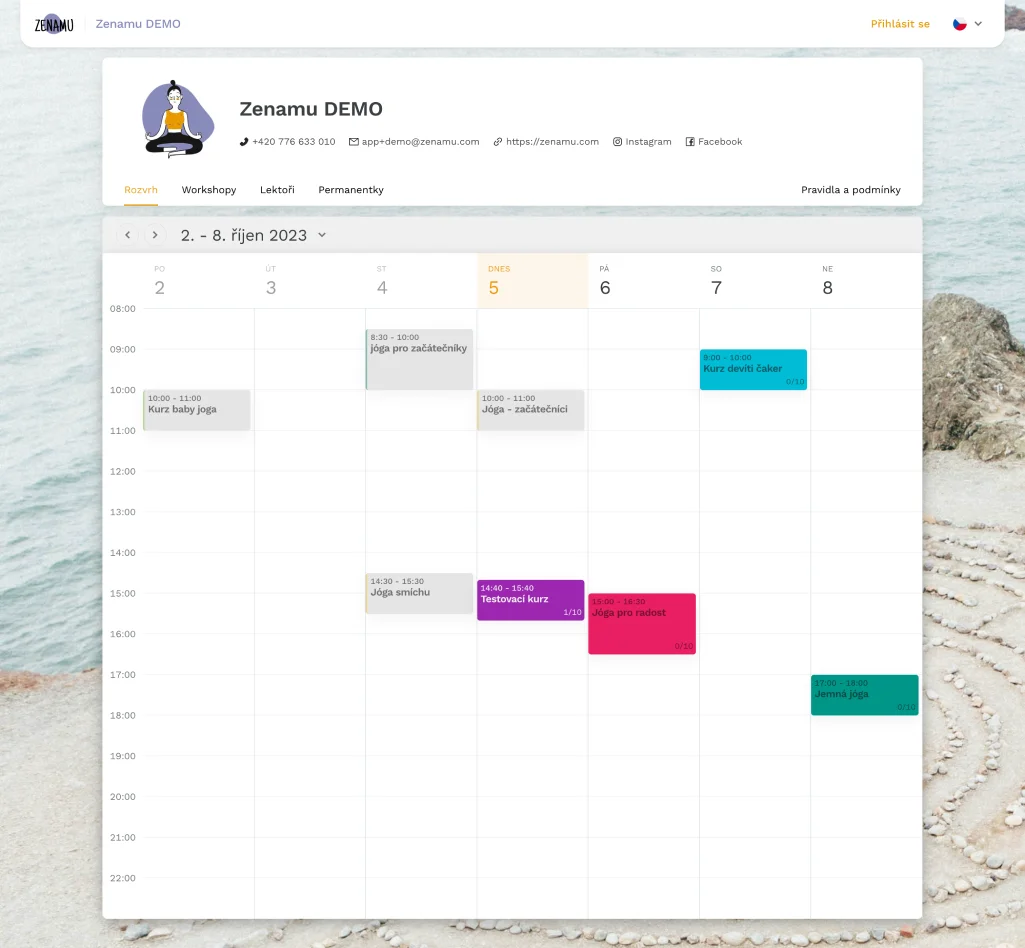
You can customize the calendar to match your unique style.
How can you do that?
In your Zenamu dashboard, upload your logo or photo and a background image for your schedule page.
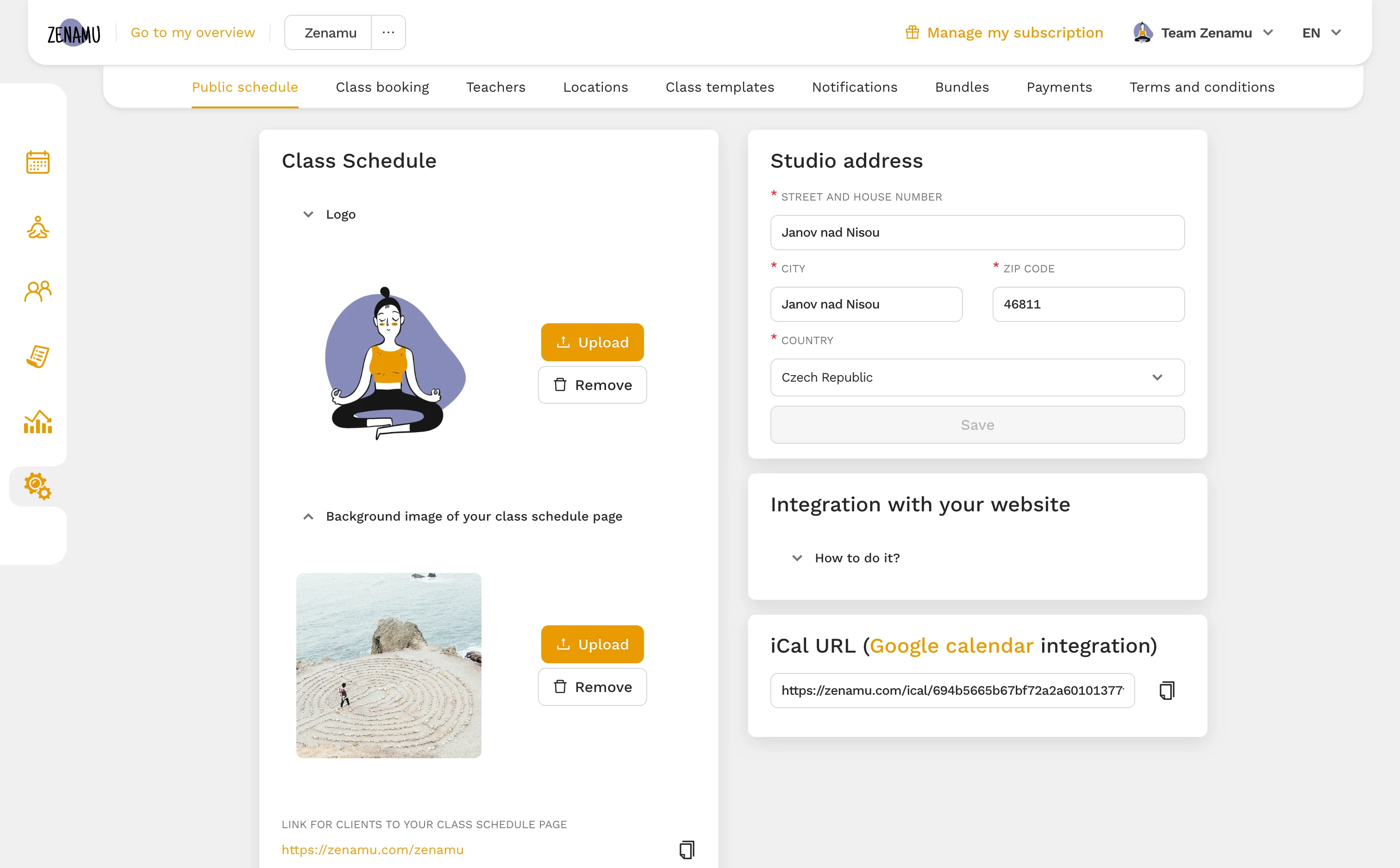
Pick colors that match your brand, and assign them to your classes and templates. All done with the help of our color picker, which is available in the system.

Here's what your calendar could look like.
Do you hold regular group classes?
Then you'll love how Zenamu handles bookings. Beyond listing new dates, it lets you set cancellation limits and penalty fees to prevent last-minute income loss.
Yoga studios, dance schools, Pilates instructors, Tabata trainers, dog trainers, and more already use Zenamu.
Try Zenamu for free - no commitment required
You won't need paper and pencil anymore. Or Facebook or WhatsApp groups. Clients can book on their own. And you can do what makes you happy.