Your own image and colors on your schedule, plus more new Zenamu features

Dear friends,
This time, you get to have some fun with how your schedule looks. We've also got updates for the client account, full courses, and child bookings.
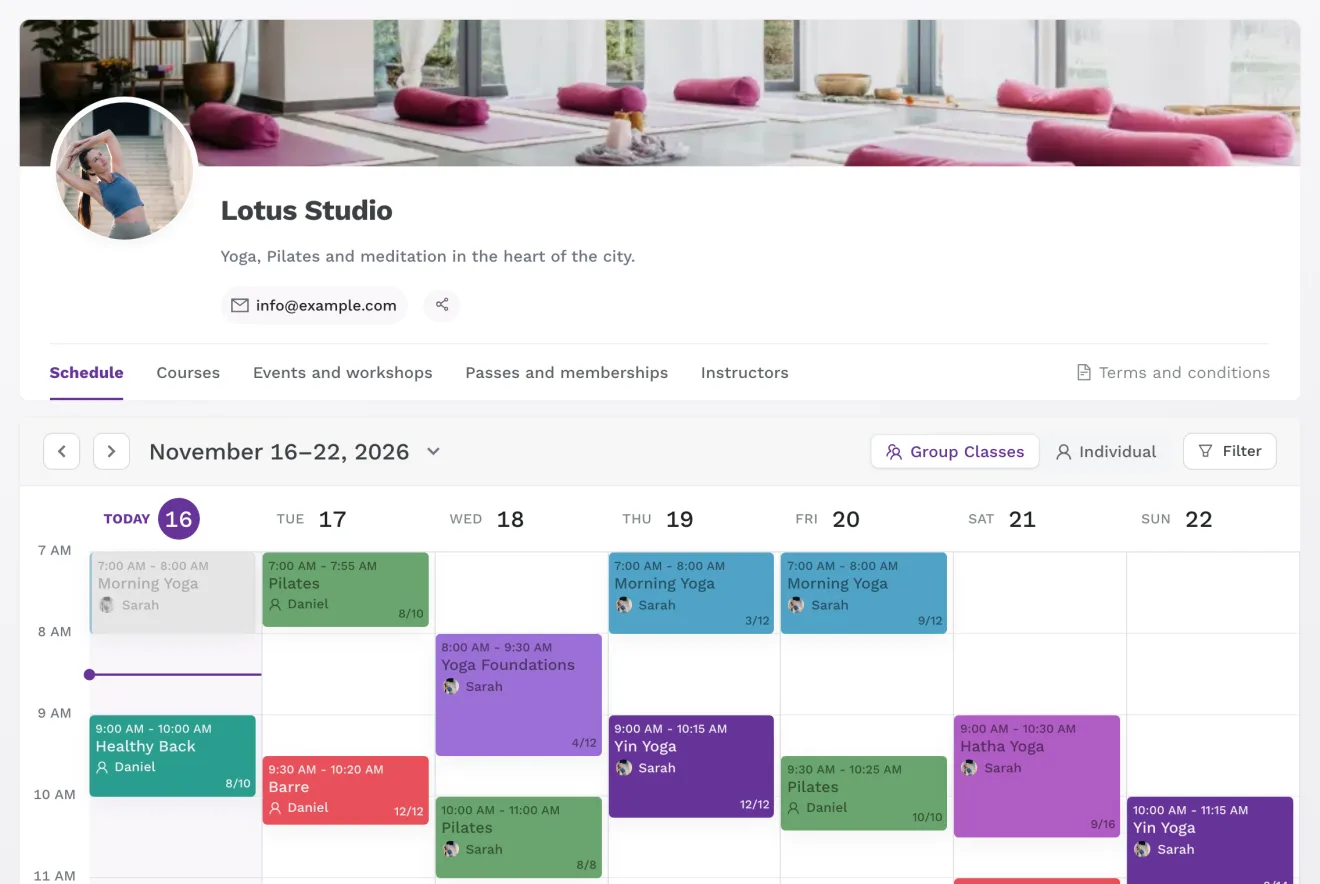
1️⃣ Your image, your colors
You can now put a wide image at the top of your schedule, one that feels like you. It works a lot like a cover photo on social media. And when you pick your studio's color, Zenamu matches the whole schedule to it: buttons, links, and highlights.
The image is available on every paid plan, and custom colors are now on the Expert plan too. Both take just a few minutes to set up.
2️⃣ A clearer, simpler client account
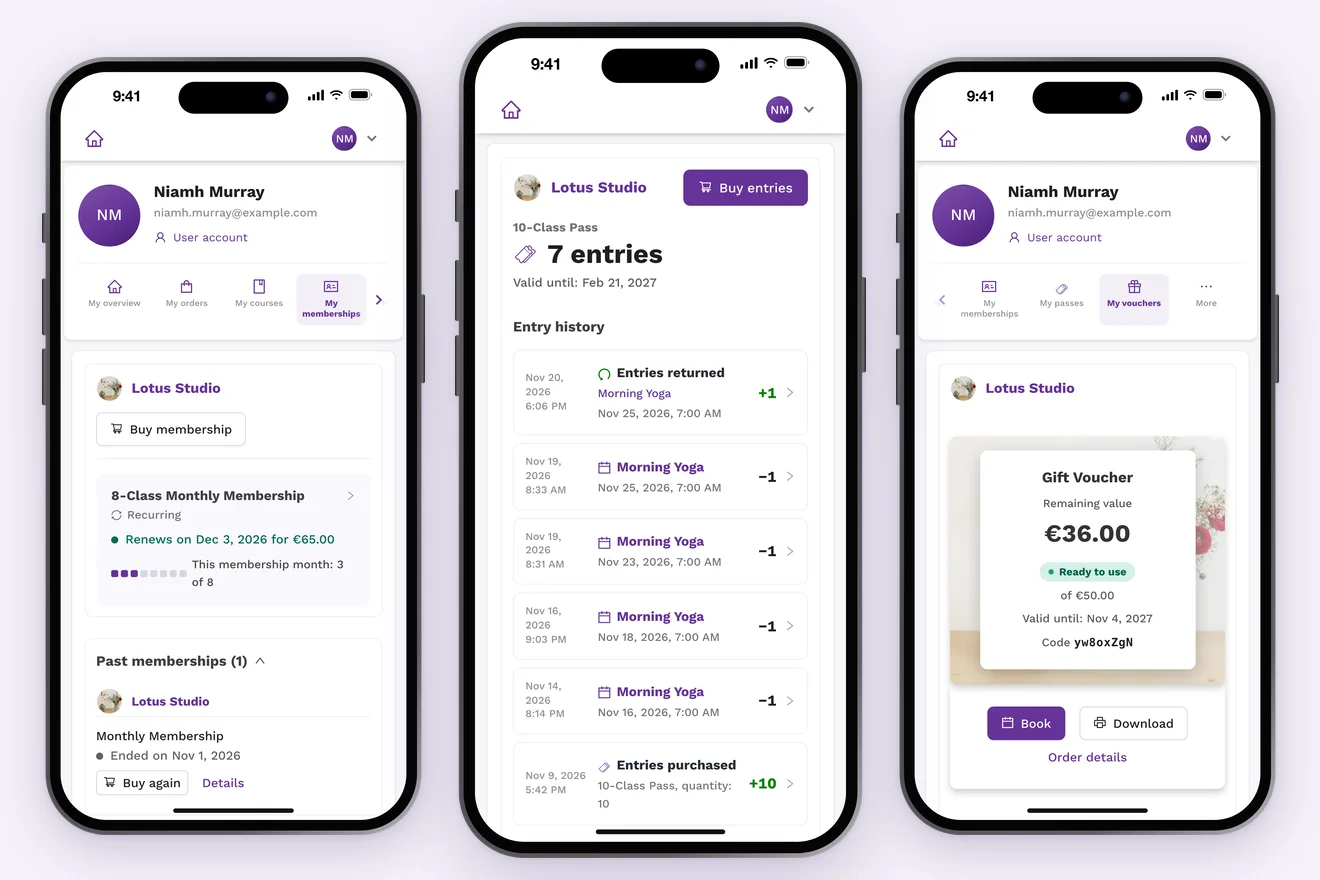
On the membership, voucher, and course pages, clients see at a glance when their membership renews, how much is left on their voucher, and which courses they're signed up for. Passes now come with an entry history that shows when each entry was used and what for. You can see the same history for every client.
3️⃣ Clients find out when a full course has a free spot
When a course is full, clients can ask to be notified. As soon as a spot opens up or you add more, everyone waiting gets an email at the same time. The spot goes to whoever signs up first.
4️⃣ Everything you need to know about each child
For child bookings, you can ask parents about things like allergies or health conditions. Parents answer once for each child and can update their answers any time. You'll see them in the client's details and in the attendee export.
You can also show the child's ID number on receipts and invoices.
What else we added
- Invite-only classes – they don't show up on your schedule, and only people with the link can book (this works for courses and events too)
- Move an attendee to another event – the payment and the receipt or invoice stay unchanged
- Refunds for passes and credits – cancel a paid order, and the client gets their card or PayPal payment back automatically
- Classes straight into the calendar – after booking, clients can add the class to their Google, Apple, or Outlook calendar
- A new look for Settings – we did some serious spring cleaning in there (yes, we know it's November)
We hope the rest of the month is a calm one.
Thank you for using Zenamu.
Warm regards,
Barbora & Jan
The Zenamu Team