Your online booking calendar
A clean booking page clients can reach anytime. Drop the link on your website, Instagram, or wherever your clients find you.
MoreA clean booking page clients can reach anytime. Drop the link on your website, Instagram, or wherever your clients find you.
More
Manage drop-in classes, multi-week courses, one-off events, and weekend workshops in the same schedule.
More
Set your own rules for bookings and late cancellations – including whether there's a fee.
More
Subscriptions that renew themselves – clients are charged automatically every month, quarter, or year. Predictable revenue, no chasing payments.
More
Sell prepaid credit packs or entry passes that clients use when booking.
MoreRun your classes, courses, and bookings from one place.
Flexible payment options and pricing tools that grow with your business.
Build an on-demand video library clients can watch any time. Sell videos one by one or bundle them into a membership – your recorded classes keep earning.
More
Offer student, senior, or loyalty rates. Because one price doesn't fit everyone.

Let clients redeem discount codes, or surprise someone with a gift voucher.

Generate receipts or invoices as PDFs with one click. Clients can find them anytime in their account.

Match incoming bank transfers to client orders automatically. No more manual reconciliation.
MoreBuild real relationships and keep your community close.
Record attendance and keep each client's bookings and orders in the same profile.

Some clients like having an account. Others just want to book and go. You can offer both.

Client didn't show? Mark it as unpaid. The next time they book, you'll see the reminder – so nothing slips through the cracks.
More
Too few sign-ups? Set a minimum occupancy and a cut-off time – Zenamu cancels the session ahead of time and lets everyone know. No wasted trips to the studio.
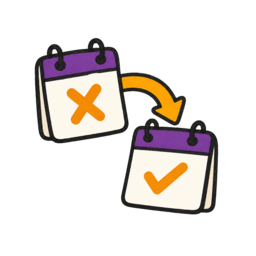
Life happens. When a client cancels a course session in time, they get a make-up session for another class. Fair and simple.
More
Add your own questions – health info, experience level, birthdate, whatever you need to know upfront.

Running kids' classes? Mark them as such – parents see it right away.
More
Let clients sign in with Facebook or Google – one less password to remember. Works for you too.
MoreManage your studio, instructors, rooms, and permissions.
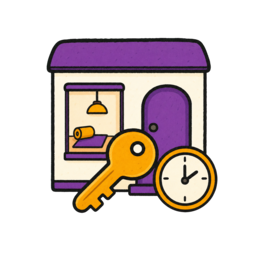
Rent out your studio rooms to other instructors by the hour. Set prices and availability, approve every request, and get paid the way you choose – Zenamu takes no commission on rentals.
More
Invite external instructors to share their classes, courses, and workshops with you. Shared events show up in both schedules at the same time.
More
Give each instructor access to the classes and administration they are responsible for.
More
See exactly what's coming in. Track revenue, and if you work with other teachers, let Zenamu calculate their share automatically.

Each partner keeps their own Zenamu account, payment methods, and accounting – clients pay the partner directly. No cross-billing, no payouts. Built for working with independent or external instructors.
More
Add each location and room to the schedule so clients see where their booking takes place.
Clients choose a service and an available time. Zenamu sends the confirmation and reminder.
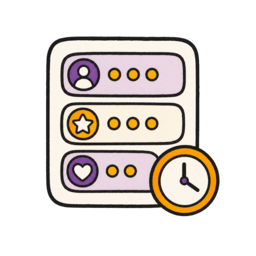
Create services with custom names, descriptions, and duration/price variants. Assign them to specialists and categories – clients see exactly what you offer.
More
Each specialist gets their own availability calendar – a regular weekly schedule (with optional even/odd week rotation) plus the flexibility to set one-off availability for specific days.
More
Automatic pre-appointment reminders cut no-shows. Turn on manual approval if you want – review each booking before it's confirmed.
Stay in touch with your clients and grow your reach.

Send schedule changes to all attendees at once. For newsletters, connect Mailchimp, MailerLite, or another supported tool.
More
Zenamu wishes your clients a happy birthday and reaches out to those who stopped coming – with an optional gift voucher that applies itself at checkout. You write the message once, Zenamu picks the right moment.

Pick your brand colors and make your booking page feel like a natural part of your website.

Want to know where your bookings come from? Connect Meta Pixel or Google Analytics and see what's working.
MoreConnect to your website and stay compliant with local regulations.
Already have a website? Embed your live schedule right into it. Works with WordPress, Wix, Squarespace, and most other platforms.
More
Drop the paper. Collect legally binding digital signatures with every detail you need – time, device, IP, everything.
More
Nobody enjoys writing legal docs. We auto-generate your terms and privacy policy based on your settings.
Follow these steps to get your booking system up and running in under 30 minutes.
Add your studio name, location, contact info, and upload your logo. This is the branded booking page clients will see.
Add classes with times, durations, capacities, and descriptions. Set up recurring weekly classes and add your courses or events.
Pick your payment methods (card, bank transfers, or cash) and add pricing for drop-ins, packages, and memberships.
Learn more →Set your cancellation policies, booking windows (how far ahead clients can book), and automated email notifications.
Learn more →Share your booking link on social media, your website, or by email. Clients can book directly through the system.
Learn more →Download the Zenamu Instructor app to manage bookings on the go and track attendance.
Learn more →Yes. Zenamu has a permanent free plan with no setup fee and no card required. You can run classes, take bookings, and collect payments straight away. Paid plans add higher capacity, recurring memberships, and more advanced features.
Drop-in classes, multi-session courses, one-off workshops, and 1:1 appointments. Depending on how you set them up, clients can pay with a class pass, prepaid credits, a membership, or a one-off payment, and you can mix and match all of them in the same studio account.
No. Zenamu gives you a ready-to-share public booking page the moment you create your account. You can send clients a direct link or embed the booking calendar into an existing site if you have one.
Yes. Clients pay with the methods you switch on: card, Apple Pay, Google Pay, PayPal, or bank transfer. Receipts go out automatically, and you can issue full invoices with VAT from the admin.
Most studios add their first class and open bookings in under 30 minutes. The setup wizard walks you through your schedule, pricing, and public booking page step by step.

Got questions? Check our help center.
Over 200 articles with guides and step-by-step instructions.
Visit help center