Online class booking
With a Zenamu account, your weekly class schedule is always live and bookable. Clients see every upcoming class, pick one, and reserve their spot in seconds.
You can also embed your class schedule directly into your own website.
Click any class title for the full description, with no extra page loads.
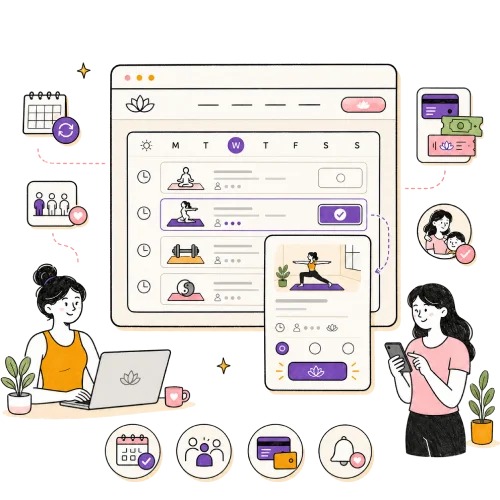
Everything your weekly schedule needs
An open class is the heart of most studios: a group session clients book on a drop-in basis. Zenamu handles the parts that eat your time, from scheduling and waitlists to payments, no-shows, and make-ups, so a full timetable runs with almost no admin from you.
Recurring or one-off
List a single open class, or set one up once and repeat it daily, weekly on chosen days, or on a custom interval such as every two weeks.

Class templates
Save your regular classes as templates and post next week's schedule in a few clicks instead of building each class from scratch.

Automatic waitlist
When a class is full, clients join a waitlist and the next person in line is moved in and charged the moment a spot opens.

Pay by pass, credits, or card
Clients use an entry pass, prepaid credits, or a membership, or pay for a single class by card, bank transfer, or on-site, whichever methods you turn on.

No-shows handled
Mark a no-show as unpaid and the client is highlighted in red across your admin until the debt is settled, so nothing slips through.
Make-up sessions
When a client cancels a course session in time, they earn a make-up to use on a class instead, and you choose which classes accept it.

Children's classes
Let parents book for a specific child from their own account, with the child's name on every order and document.

Capacity you control
Hide the remaining-spots count if you prefer, and when a class is under-booked, cancel it in a couple of clicks. Everyone booked is notified, and online payments are refunded automatically.
This is what it looks like embedded on your own website. Zenamu has a matching plugin for classes, courses, workshops, and appointments.
Add a booking calendar to your website
Integrate Zenamu into your website in minutes. Start for free and give your clients easy online booking.









Class booking FAQ
What is an open class in Zenamu?
An open class is a standalone group session clients book on a drop-in basis, one at a time, like a Monday evening yoga class. You can run a single open class or have it repeat on a schedule.
Can a class repeat automatically?
Yes. You can set a class to repeat daily, weekly on the days you choose, or on a custom interval such as every two weeks, and save it as a template to post your schedule quickly.
How do clients pay for a class?
Clients can use prepaid credits, an entry pass, or a membership, or pay for a single class by card, bank transfer, or on-site, whichever options you allow.
What happens when a class is full?
Clients can join an automatic waitlist. The moment a spot opens, the next person in line is moved into the class and charged, and you can also add someone manually.
Can clients book a class for their child?
Yes. When you mark a class as a children's class, registered clients can book for a specific child from their own account, and the child's name appears on the order.

Got questions? Check our help center.
Over 200 articles with guides and step-by-step instructions.
Visit help center