Course booking system
A multi-week course is easier to fill when people commit to the whole run up front. Zenamu collects those enrollments for you, so courses fill up before they start.
Running multi-week courses? Show them on your site with a direct sign-up link. Enrollment, made simple.
Embed Zenamu courses in your website

Run courses exactly how you teach them
A course is a series of sessions your clients sign up for as a whole: a term of ceramics, an eight-week beginners block, a kids season. Zenamu runs the whole course for you, from enrollment and pricing to schedule changes, attendance, and payments, all in one place instead of a spreadsheet and a separate payment app.

Sign up once, for the whole series
Clients enroll in the entire course in a single step and pay upfront, so you fill the term in advance.
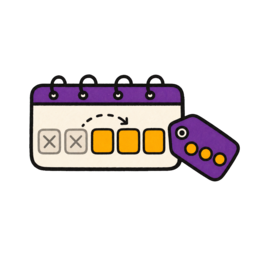
Late joiners pay only for what's left
When someone joins a course that has already started, Zenamu works out the price for the remaining sessions and enrolls them automatically, so there is nothing to calculate or enter by hand.

Price the whole course or each session
Set one price for the full course and, if you want, a higher per-session price, so booking the entire term is always the better deal.
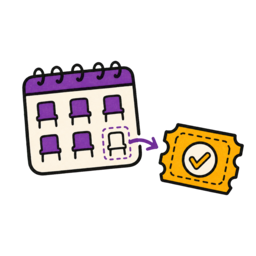
Turn empty seats into drop-ins
Any spots a course does not sell can be opened up as individual classes, so a half-full course still earns its keep.
Any rhythm you teach in
Weekly, every two weeks, monthly, or a weekend block counted as one session: schedule a course the way your term actually runs, up to a year ahead.
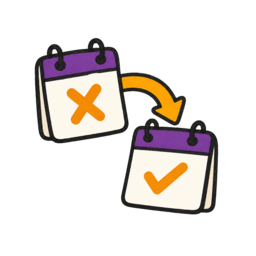
Add or move sessions mid-term
Need an extra week or a new date? Add a session to a running course and every participant comes along automatically; reschedule or cancel a single session without touching the rest.

An automatic waitlist
When a course fills up, clients join a waitlist and the next in line is moved in the moment a seat frees up.

However your clients like to pay
Card, bank transfer, on-site, prepaid credits, entry passes, or a membership: choose which methods each course accepts.
This is what it looks like embedded on your own website. Zenamu has a matching plugin for classes, courses, workshops, and appointments.
Add a course list to your website
Embed your course catalog in minutes. Start for free and let clients see every course in one place.










Course booking FAQ
What is the difference between a class and a course in Zenamu?
A class is a standalone session clients book one at a time, like a drop-in open class. A course is a series of sessions clients sign up for as a whole, like an eight-week beginners block. You can run both side by side, and even open unsold course seats as individual classes.
Can clients join a course after it has started?
Yes. If a course still has room, clients can join part-way through, and Zenamu calculates the price for the remaining sessions automatically, so you never have to work out a pro-rata amount by hand.
Can I charge for the whole course and for single sessions?
You can set a price for the full course and, optionally, a separate per-session price. Many studios price single sessions a little higher so that booking the whole course is the better value.
Can I add or reschedule a session in a course that is already running?
Yes. You can add a new session to a running course and every enrolled client is added to it automatically, and you can reschedule or cancel individual sessions without affecting the rest of the course.
How can clients pay for a course?
Choose which methods each course accepts: card payments, bank transfer, on-site payment, prepaid credits, entry passes, and memberships, so clients can pay the way that suits them.

Got questions? Check our help center.
Over 200 articles with guides and step-by-step instructions.
Visit help center